

QNAP TS-233
Run your own personal cloud storage and enjoy easy file access, sharing, and syncing with the TS-233
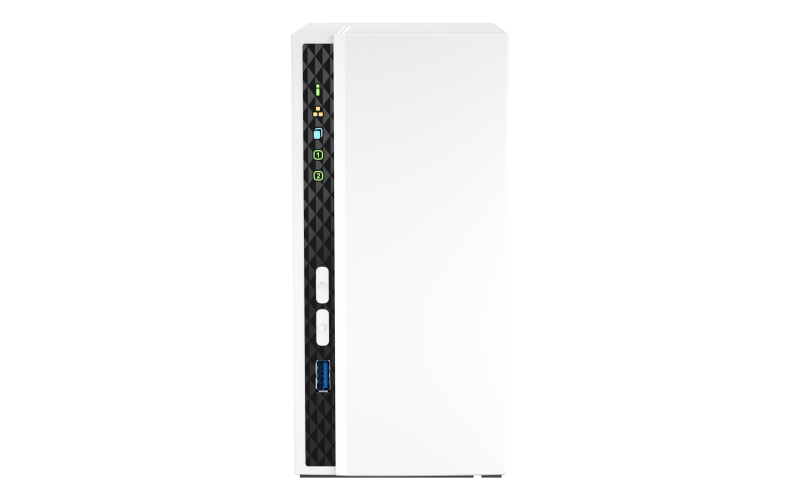
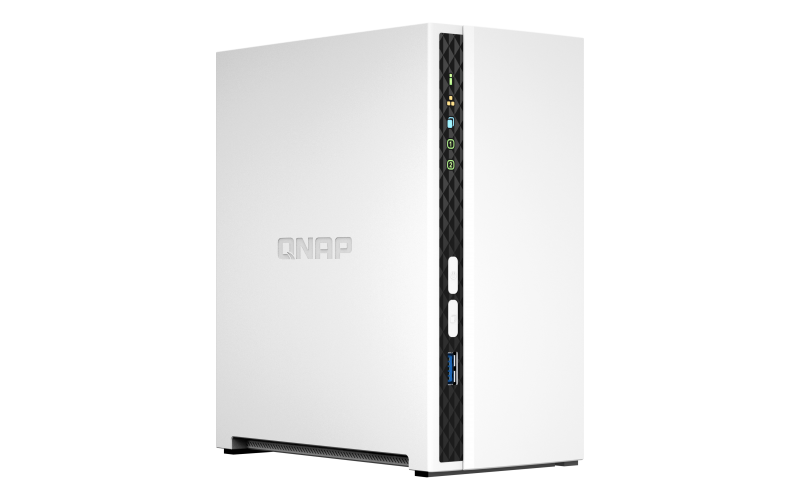
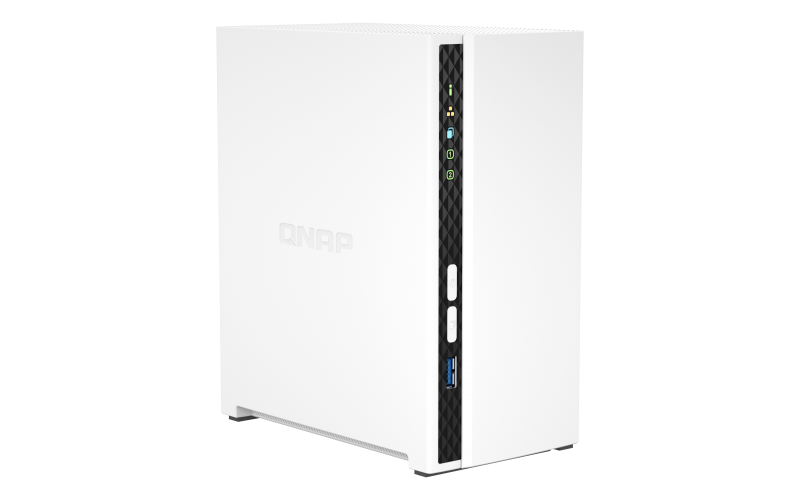
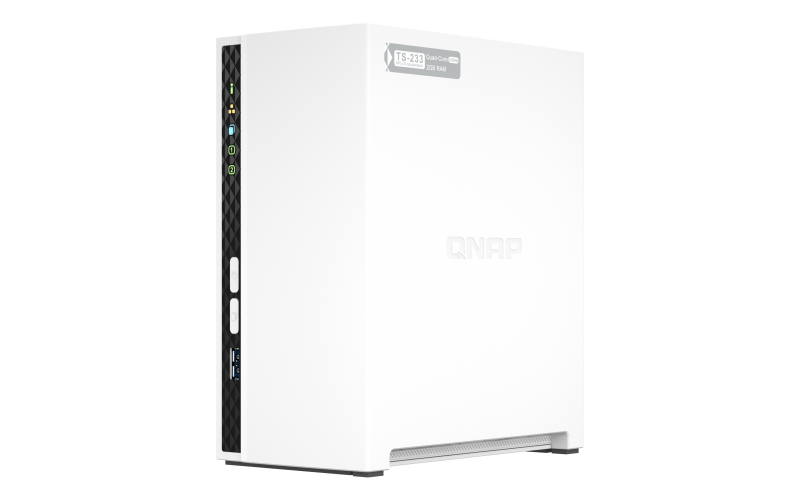
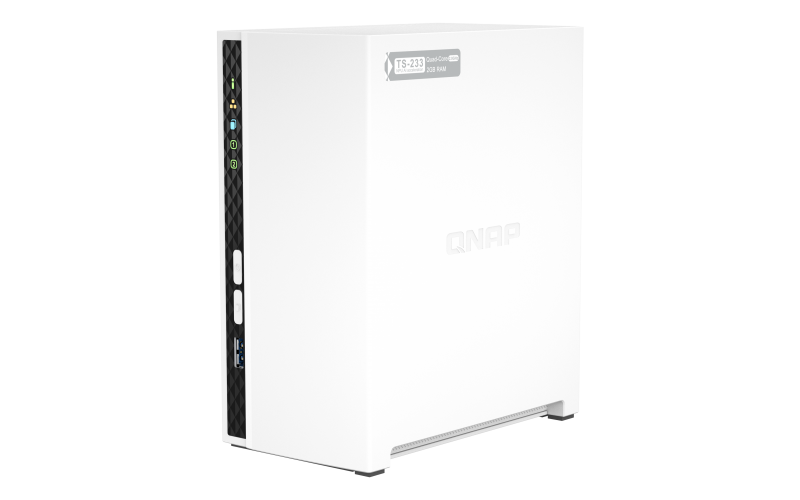
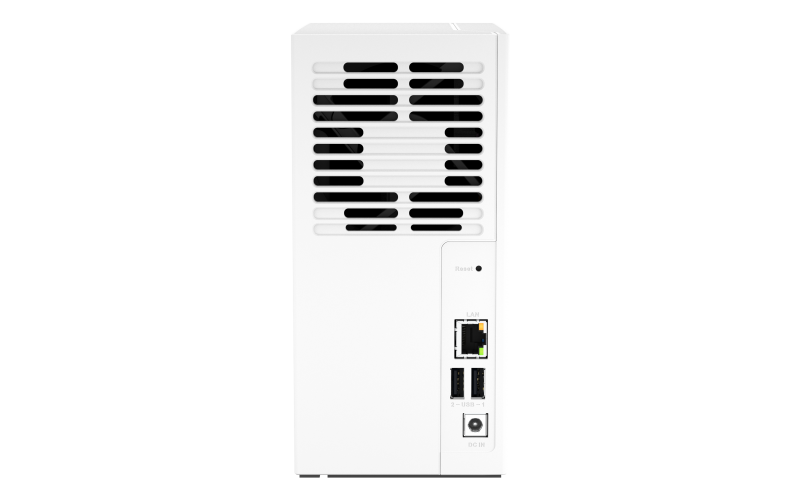
2 bay ARM 4C 2.0GHz ; 2 x SATA 6Gb/s 3.5"/2.5"; 2GB RAM on-board; 1 x GbE ; 1 x USB3.2 Gen1 and 2 x USB2.0
Our Price: Request a Quote
Package Content
- QNAP TS-233 Storage
- 1 x Ethernet cables
- Power cord
- AC Adapter
- 8 x Flat head screw (for 3.5″ HDD)
- 6 x Flat head screw (for 2.5″ HDD)
- Quick Installation Guide
Overview:
Run your own personal cloud storage and enjoy easy file access, sharing, and syncing with the TS-233. Designed for beginners and home NAS users, the TS-233 not only simplifies data storage and collaboration but also features rich multimedia applications as a complete home entertainment portal.
Available Models
-
TS-233-
ARM® 4-core Cortex-A55 2.0GHz processor
Centralized multimedia management
Centrally store photos, music, and videos; easily browse, organize, and share multimedia files.
AI-powered image recognition
With a built-in NPU (Neural network Processing Unit) processor, the TS-233 boosts performance for high-speed face and object recognition.
Home entertainment center
Supports ARM NEON technology that accelerates video processing for a greater entertainment experience.
Secure remote access
myQNAPcloud allows you to easily access, manage, and share NAS files via the Internet.
Snapshot protection against Ransomware
Protect your files and data from accidental deletion and malware attacks by using advanced snapshot protection.
Comprehensive security management
Serves as a secure private cloud and supports user account protection, IP blocking, 2-step verification, encryption access, and more.
Features

QuMagie Smart Photo Management
AI-powered QuMagie offers intelligent face and object recognition for seamless photo organization and sharing. Features include timeline scrolling, customizable folder covers, iOS® Live Photo support, and a powerful search tool.
Comprehensive Backup Solution
Protect your files and data with easy, automated backups to prevent data loss.
Windows®/Mac® Backup
Use NetBak Replicator for Windows or Time Machine® on macOS® to back up to your NAS.

Mobile Photo Backup
Auto-upload photos via Qfile or QuMagie mobile apps for instant backup.

Google Drive™ Backup
Hybrid Backup Sync backs up Google Drive™ files to save on cloud storage costs.

Cloud Backup
Sync or back up NAS files effortlessly to your preferred public cloud services.
Remote Site Backup
Backup or sync files to a remote QNAP NAS or server for added protection.
Ransomware Protection with Snapshots
Snapshots let you record and restore your system’s state quickly, protecting against ransomware and data loss.
| 1. | Back up PCs to NAS - Regularly back up your data to your TS-233. |
| 2. | Instant Snapshots - Capture system states and restore files instantly. |
| 3. | Snapshot Backup - Replicate snapshots to remote NAS for efficient protection. |
| 4. | Easy Restoration - Restore snapshot data locally, remotely, or from client side. |
Centralized Multimedia Storage
Your private cloud for movies, videos, photos, and files — accessible anytime, anywhere.

Music Collection Storage
Use Music Station to play lossless audio, view lyrics, and share playlists. Access via Qmusic app on mobile.

High-Resolution Video Storage
Organize and stream videos with Video Station and the Qvideo mobile app.
Enhanced Multimedia Experience
ARM NEON technology accelerates video processing. Stream media to DLNA® devices and TVs using Roku®, Apple TV® (via Qmedia), Google Chromecast™, and Amazon Fire TV®.
Boost Your Productivity
Access and sync files across devices, organize documents automatically, and map NAS shared folders as network drives for easy access.
| File Station | Manage files via web or Qfile mobile app for easy access anywhere. |
| Qsync | Synchronize files across devices and with your team, replacing Dropbox® functionality. |
| Qfiling | Automatically organize and archive files by category on a set schedule. |
Access Your NAS Anywhere
myQNAPcloud enables hassle-free remote access with a unique domain name and automatic best-connection setup.
Host Container Applications
Container Station integrates Docker® virtualization, allowing easy deployment of containerized apps from Docker Hub® with one-click installation.
Additional apps for backup, content management, communications, and entertainment are available via App Center for easy feature expansion.
Flexible & Economical Storage Expansion
Expand your NAS capacity easily and affordably.

Attach Expansion Enclosures
Connect and manage additional storage with Storage & Snapshots Manager.

Mount Cloud or Remote Storage
Expand capacity and centrally manage files from cloud or remote servers.
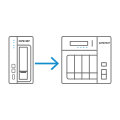
Migrate to New NAS
Transfer drives to a larger QNAP NAS without losing data or settings.

Upgrade RAID Capacity
Hot-swap drives for expanding NAS storage to meet growing needs.
More Productivity Apps
The App Center offers rich apps to enhance your NAS experience.

QmailAgent
Manage multiple email accounts centrally with backup protection.

Qcontactz
Centralize and manage contacts with import/export support and cloud sync.

Qmiix
An integration platform to automate tasks by connecting your NAS with apps and devices.

Notification Center
Centralizes system alerts for smooth NAS management and real-time status updates.
Design & Build
Minimalist Design
The TS-233 is compact and slim, designed to blend into your home or office. It features a minimalist design that extends to the hard drives, which can be installed without needing a screwdriver.
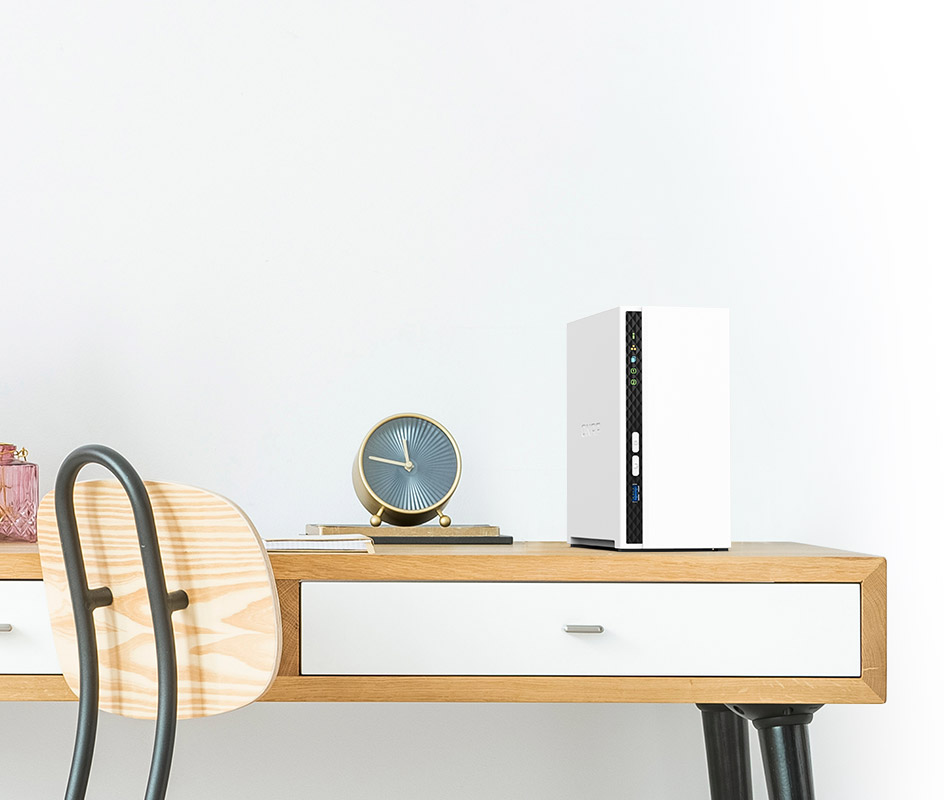
Effective Cooling for Smooth Airflow
The TS-233 remains high-performance, cool, and quiet thanks to its compact design and an efficient internal cooling fan that maintains optimal airflow.
Operating System:
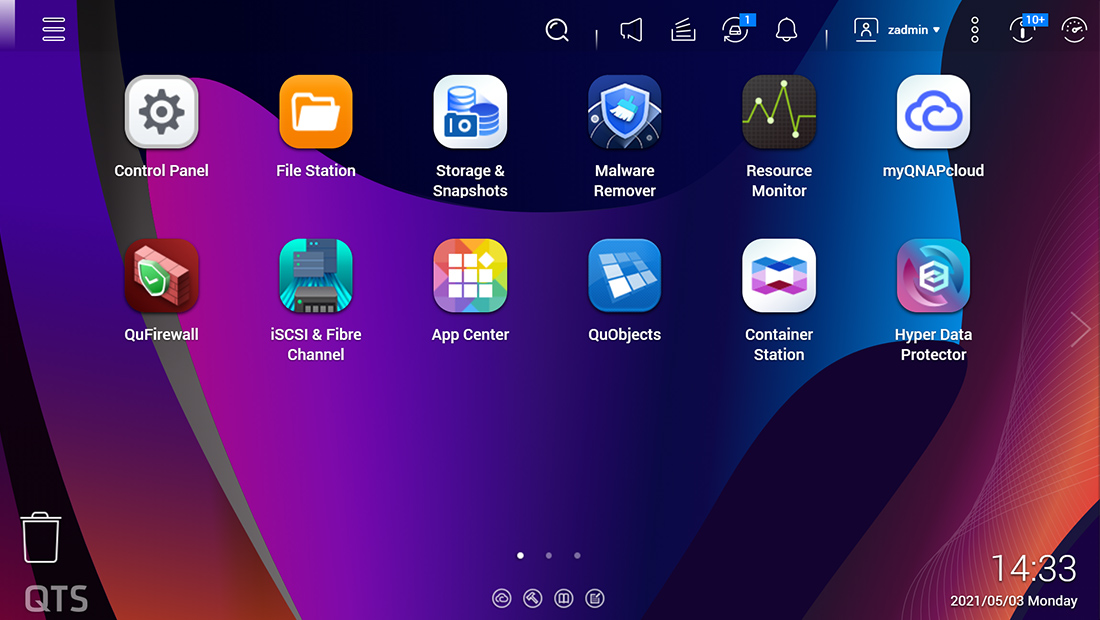
The TS-233 comes with the QTS 5 operating system as standard, providing a next-generation usage experience with an updated system kernel, optimized user interface, and advanced security features.
Brighter. Smoother. You’ll like it.
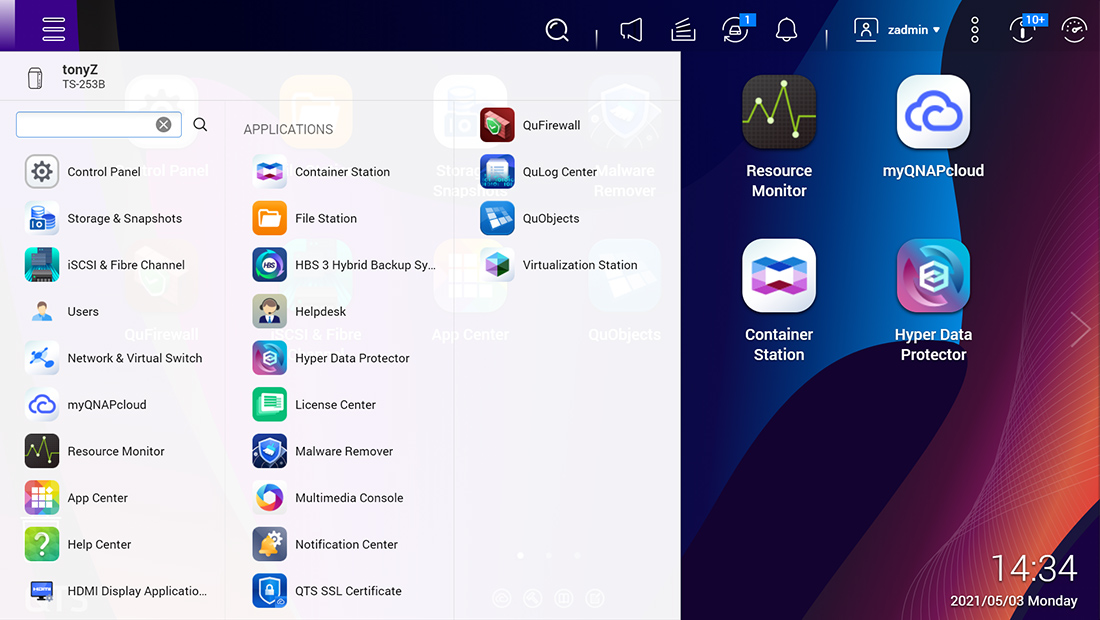
When navigating QTS 5, you will notice a finer attention to detail for a superior browsing experience. Enjoy a smoother NAS experience, comfortable visual design, and find your favorite apps quicker.
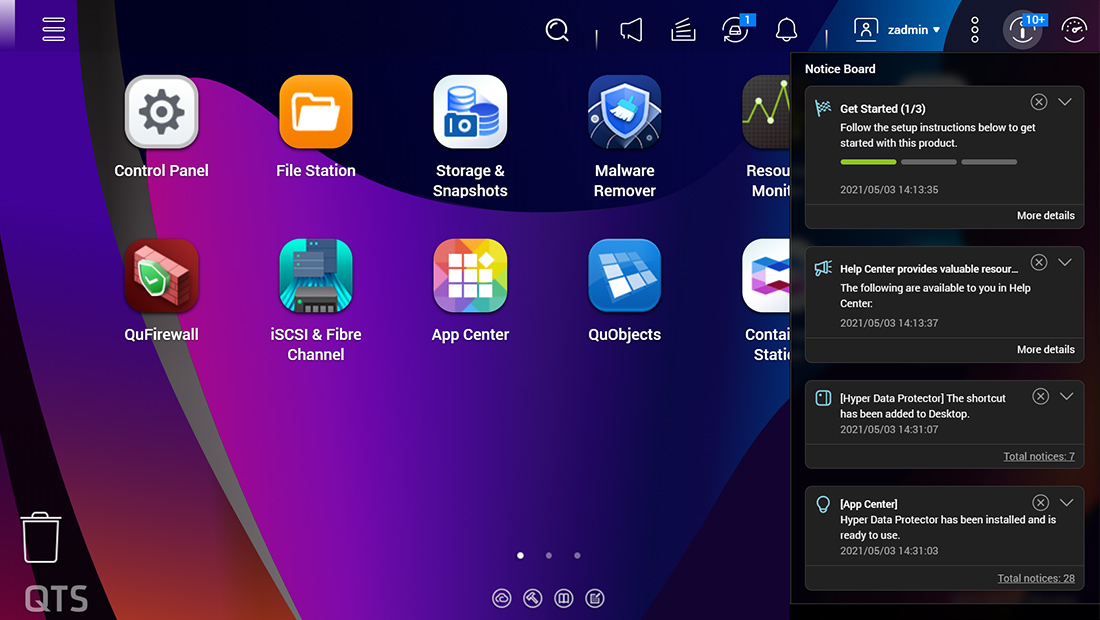
Get started with the notice board
When performing first-time installation, the notice board guides you through the setup process. Simply follow the step-by-step instructions for a quick and easy setup.
Smooth and reactive user interface
Whether clicking buttons, switching between apps, expanding/collapsing windows – every action is much smoother. The search bar in the main menu also assists in quickly finding desired apps.
TS-233 NAS
64-bit Cortex-A55 quad-core 2.0 GHz CPU, 2 GB RAM, 1x GbE LAN, 2x SATA 6Gb/s. AES-NI 256-bit encryption for fast, secure performance.
Tested in QNAP Labs. Figures may vary by environment.
Test Environment:
NAS: TS-233
OS: QTS 5.0.0
Volume type: Samsung SSD 850 PRO 512GB SATA*2, RAID 1
Client PC: Windows Server 2016, Intel Xeon E-2124, 64GB RAM
Security:
The TS-233 provides advanced privacy and security settings but is easy to set up and use. Besides IP blocking and HTTPS connectivity, there are more apps that help ensure an optimal level of NAS protection against threats like malware and hackers.
Enable multi-factor authentication
It is strongly recommended to enable secure login methods such as passwordless login and 2-Step Verification for adding an extra layer of data security.

Advanced folder permissions
Easily manage folder permissions, specifying read, read/write, and deny access of individual users to each folder and subfolder.

QuFirewall protection
Supports IPv6, firewall access lists, and GeoIP filtering to restrict access based on geographical locations for higher NAS network security.

Superior security with QVPN
A virtual private network (VPN) allows secure access to network resources and services across public networks. QVPN supports creating a VPN client, using the TS-233 as a VPN server, and WireGuard® VPN service with an easy-to-use interface for setting up a secure connection.

Security Counselor
A security portal for the TS-233 to check for weaknesses and offer recommendations for enhancing NAS security. It also integrates anti-virus and anti-malware scanning software.
Hardware Specifications:
Download Datasheets| TS-233 | |
|---|---|
| CPU | ARM 4-core Cortex-A55 2.0GHz processor |
| CPU Architecture | 64-bit ARM |
| Graphic Processors | Mali-G52 |
| Floating Point Unit | |
| Encryption Engine | |
| System Memory |
2 GB on board (non expandable) Note: Reserves some RAM for use as shared graphics memory. |
| Maximum Memory | 2 GB on board (non expandable) |
| Flash Memory | 4 GB (Dual boot OS protection) |
| Drive Bay | 2 x 3.5-inch SATA 6Gb/s, 3Gb/s |
| Drive Compatibility |
3.5-inch SATA hard disk drives 2.5-inch SATA solid state drives |
| Hot-swappable | |
| Gigabit Ethernet Port (RJ45) | 1 |
| Wake on LAN (WOL) | |
| Jumbo Frame | |
| USB 2.0 port | 2 |
| USB 3.2 Gen 1 port | 1 |
| Form Factor | Tower |
| LED Indicators | System Status, LAN, HDD1~2 |
| Buttons | Power, Reset, USB Copy |
| Dimensions (HxWxD) | 186 × 91.7 × 157.6 mm |
| Weight (Net) | 1.69 kg |
| Weight (Gross) | 1.89 kg |
| Operating temperature | 0 - 40 °C (32°F - 104°F) |
| Storage Temperature | -20 - 70°C (-4°F - 158°F) |
| Relative Humidity | 5-95% RH non-condensing, wet bulb: 27˚C (80.6˚F) |
| Power Supply Unit | Minimum 48W adapter (12VDC), 100-240VAC |
| Power Consumption: HDD Sleep Mode | 3.43 |
| Power Consumption: Operating Mode, Typical |
10.81 W Tested with drives fully populated. |
| Fan | 1 x 80mm, 12VDC |
| System Warning | Buzzer |
| Standard Warranty | 2 |
| Max. Number of Concurrent Connections (CIFS) - with Max. Memory | 200 |
Note: Use only QNAP memory modules to maintain system performance and stability. For NAS devices with more than one memory slot, use QNAP modules with identical specifications and refer to the hardware user manual to install compatible QNAP memory modules. Warning: Using unsupported modules may degrade performance, cause errors, or prevent the operating system from starting. QNAP reserves the right to replace partial parts or accessories if the original is no longer available from its manufacturer/supplier. Any replacement would be fully tested and verified to meet strict compatibility and stability guidelines and will deliver identical performance to the original. The terms HDMI, HDMI High-Definition Multimedia Interface, HDMI trade dress and the HDMI Logos are trademarks or registered trademarks of HDMI Licensing Administrator, Inc. Product images are for illustrative purposes only and may differ from the actual product. Due to differences in monitors, colors of products may also appear different to those shown on the site. Designs and specifications are subject to change without notice.

Extend Hardware Warranty Up to 5 Years
The TS-233 is backed by a standard 2-year warranty at no extra cost. You can purchase an extended warranty plan to protect your device for up to 5 years.
Pricing Notes:
- All Prices are Inclusive of GST
- Pricing and product availability subject to change without notice.
2 bay ARM 4C 2.0GHz ; 2 x SATA 6Gb/s 3.5"/2.5"; 2GB RAM on-board; 1 x GbE ; 1 x USB3.2 Gen1 and 2 x USB2.0
Our Price: Request a Quote
Note: Bundled accessories delivered together with the product such as expansion cards, power adapter, and accessories are covered with one-year warranty.